AiOn AiOn by OneTrack

The work that never
gets done —
done automatically.

AiOn connects to your WMS, ERP, and sensors. Then it watches your operations, answers your questions, and runs the analysis your team doesn't have time for — on its own.

5x Faster vs. manual
spreadsheet analysis
~30 sec Average response
time to a query
AiOn in action

Trusted by leaders in logistics & manufacturing

Kellanova
Church & Dwight
Hain Celestial
CJ Logistics
ID Logistics
Ryder
Wonderful
Bigelow
Holman Logistics
The real problem

The analysis always gets put to the back burner.

  • The BI backlog is months deep. Your dashboard request is number 47 in the queue. You stop asking.
  • Critical analysis never gets done. Zoning. Cuts. Inventory variance. Every quarter you plan to look at it. Every quarter something more urgent wins.
  • Issues surface Monday. They started Thursday. Three days of damage, already done. Nobody was watching when you weren't there.
Question → App → Automation

Ask anything. Get a live app. Set it on autopilot.

Type a question in plain English. AiOn queries your live data, builds the dashboard, and offers to publish it with automated alerts — all in one session.

app.onetrack.ai
Artifacts
Pick Productivity
Live · Zone view Published
AiOn — connected to WMS, Clock Punch
You
Show me pick productivity by zone for the past 30 days. Flag anything below 85%.
Connecting to WMS…
AiOn
Done. Zone C is 23% below target. Here’s the 30-day breakdown:
Avg 87% | Target 90% | ⚠ 1 zone below threshold
ZoneRateTrendvs TargetPicks
Zone A 98% +13%
Zone B 88% +3%
Zone C 77% −8%
Publish as live dashboard & delegate Zone C monitoring to me?
Live
Pick Productivity — Zone View
Updated just now
87% Network avg
90% Target
1 Zone below target
11,580 Picks (30 days)
Zone Pick Rate Trend vs Target Picks Avg Time
Zone A 98% +13% 4,821
Zone B 88% +3% 3,912
Zone C ⚠ 77% −8% 2,847
AiOn Agent
Pick Zoning Analyst — Active
AiOn
Got it. I’m now your Pick Zoning Analyst for this dashboard. Starting on Zone C now.
Coaching brief sent to J. Rodriguez (Zone C Supervisor)
Pre-shift alert scheduled: 5:45 AM daily
Coaching plan: recommend zone walkthrough + associate 1:1s
Reviewing Zone C equipment maintenance log…
Engineering ticket #1847: Rack 7 scanner degraded — avg scan time +18%
i need you to now act as my case pick analyst, monitor for low uph, slotting issues, and travel exceptions
AiOn
On it. Running analysis in the background.
Agent running
Analyzing your operations
Pulling pick data · 30-day window
UPH scan complete · 3 associates below 80
Slotting audit: Zone B · dense pick path flagged
Slotting audit: Zone C · 6 items in wrong velocity tier
Travel exceptions: Zone C avg +23% vs network
Supervisor briefed · J. Rodriguez notified
Monitoring active · running every shift
How it works

From question to decision in minutes.

AiOn connects to your live data and works continuously — answering questions, building apps, and watching for problems while you're running the operation.

Question

Ask anything in plain English.

Email it, type it, say it. AiOn queries your live WMS, ERP, safety, and sensor data — and responds in under 30 seconds with analysis, not a spreadsheet to interpret yourself.

App

Turn any answer into a live dashboard.

AiOn builds the UI and the backend in the same session. What used to take weeks in Power BI takes minutes. Publish it, share it, or drill deeper — no developers required.

Automation

Schedules, alerts, and monitoring — hands-off.

Background agents watch every site, every shift. Set up weekly reports, pre-shift briefings, and threshold alerts from the same session. Throughput drops at 2 PM — you know before end of shift.

Connect

Any data source. Live within a week.

WMS, ERP, clock punch, fleet systems, sensors, Snowflake — no IT project. Most customers are live in under a week via CSV drop or data warehouse share. New sources connect without rebuilding your dashboards.

Access control

Same dashboard. Different data. Based on who's signed in.

AiOn inherits your existing permission model. Every query is automatically scoped to what that person is authorized to see — no extra setup required.

app.onetrack.ai/dashboards/pick-productivity
VP
VP Operations
Pick Productivity — 30 Day View
Network: 12 sites · 847 associates
Location Pick Rate vs Target Associates
East Region96%+11%312
Midwest Region88%+3%279
West Region77%−8%256
Full network access — 12 sites authorized for this user
VP Operations
Full network · 12 sites
Regional Manager
Midwest region · 4 sites
Site Supervisor
Kansas City · 1 site

One dashboard URL. Three completely different views.
Controlled by your permission model — enforced automatically.

Use cases

Built for what actually happens on your floor.

Every example below came directly from a customer call. These aren't demos we invented — they're problems your peers are solving right now.

Zoning & Slotting Analysis

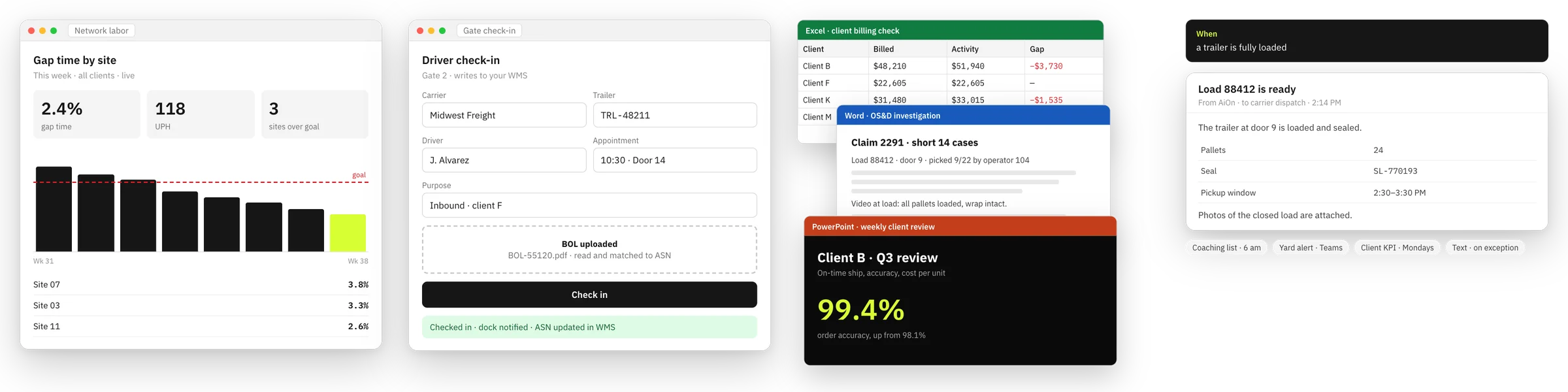
Before Most of a week, manually cross-referencing pick and shipping data. Gets skipped every quarter.
After 15 minutes. Runs quarterly on a schedule. Decisions backed by actual data.

Cut Order Root Cause

Before Several hours of manual pulling. Usually deferred to "when we get to it." Always ends up being too late.
After A few minutes. Catches timing patterns before they become a chronic problem. Fewer cuts, fewer short ships.

Productivity Coaching

Before Supervisor stuck at a desk analyzing data instead of coaching. QBR prep takes a full day.
After Pre-shift briefing waiting each morning. Supervisor walks in knowing who to coach and why.

SOPs & Client Reporting

Before SOP writing is manual, tedious, and perpetually behind. QBR decks take a day to compile.
After AiOn drafts the SOP in 15 minutes. Your job becomes proofreading, not writing from scratch.

"All of our analytics, all of our data — everything was pretty manual. Takes a lot of time just to chop and screw through it and then take action. Now we can multitask and have the analysis sent directly to us while we're working on other things."

"I closed two job openings three weeks after we onboarded. People I was looking to hire to do analytics and Power BI work. I just decided — we don't need those roles anymore."

"That's incredible. She created this dashboard herself just by talking to the AI? Before this, she was manually logging in, downloading extracts from the green screen, putting them into Excel sheets, cross-referencing by hand. That blows me away."

The background agent

AiOn runs when you're not looking.

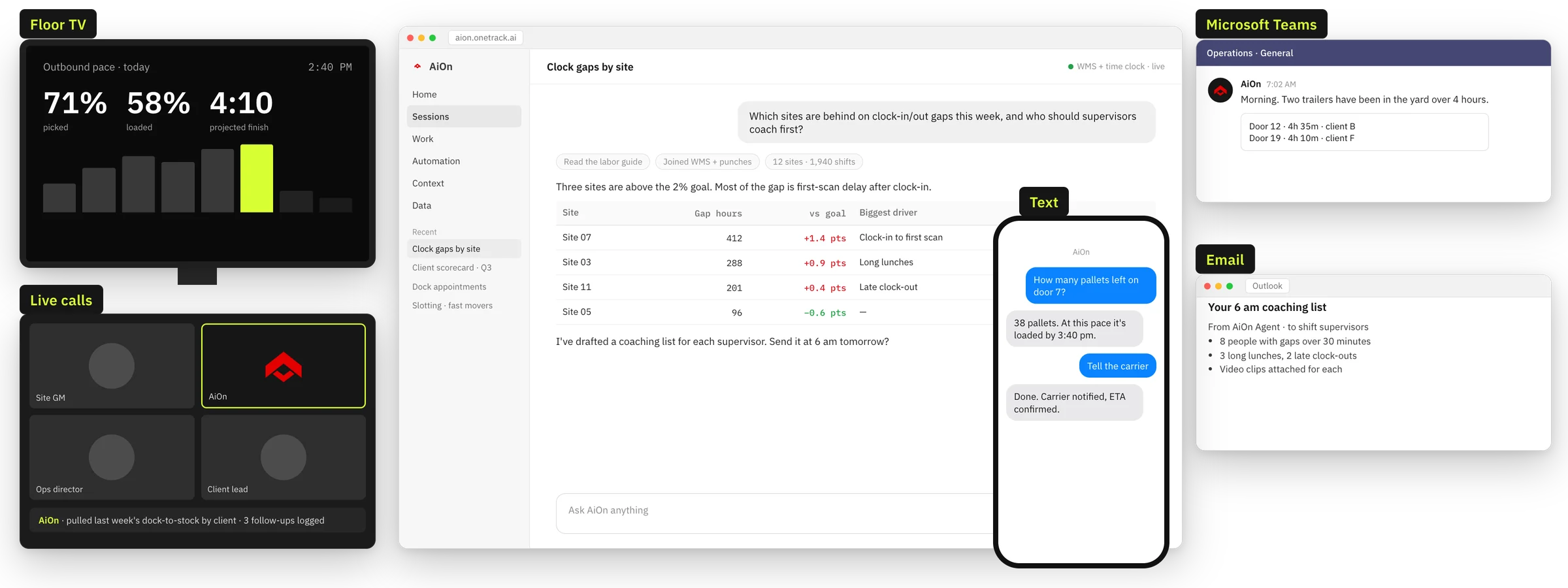
Agenticus — AiOn's background intelligence layer — watches continuously. It explores your data, notices patterns you haven't asked about yet, listens to your team calls, and delivers work you didn't have to ask for.

Watches every site, all the time

Surfaces which of your sites needs attention each morning — so you start every day knowing where to focus, not cycling through dashboards.

Listens in on your team calls

Joins your Zoom or Teams meetings and starts building the reports that came up — before the meeting is over.

Explores data overnight on your behalf

Delivers a Monday morning summary of patterns it found — analysis you wouldn't have had time to run yourself.

Example: delegate and walk away

Keep an eye on throughput for all sites. If any site drops more than 15% below shift goal before end of shift, alert me and draft a summary of what's happening.
Monitoring 12 sites · Checking every 30 minutes
Trigger threshold: > 15% gap vs. shift goal
On trigger: alert + auto-draft root cause summary
Set. Running now.

Alert fired — Tue 14:32

Cedar Rapids: 18% below shift goal.
3 associates showing gap time > 45 min. Suggest: pull gap time report for shift leads before 15:00 and flag for supervisor review.

Integrations

Plugs into your existing stack.

API, SFTP, data warehouse share, or a CSV emailed every hour — if you can get data out, we can work with it. No six-month integration project. Most customers are live within a week.

WMS
ERP
Clock Punch
Blue Yonder
Manhattan
Oracle
SAP
Paylocity
Kronos / UKG
Snowflake
Azure Synapse
OneTrack Sensors
SFTP / CSV
Email Drop
REST API

Don't see your system? We'll figure it out.

"

Give yourself 48 hours with this tool. That's probably all you need. As soon as you push the boundaries of an analysis you thought you'd never get to — one that used to take a full afternoon — you'll be surprised at what comes back.

Senior Manager, Process Engineering — Food Manufacturing
Get started

Your operations data is already there.
Start using it.

Connect your WMS. Ask your first question. Most customers see their first live dashboard within a week.

SOC 2 Type II  ·  Up and running in days

Newsletter

Stay in the loop

Warehouse ops insights from the OneTrack team — no fluff.

Please enter a valid email address.

No spam, ever. Unsubscribe any time.

You're in

Thanks for subscribing

You'll hear from us soon. Check your inbox — and your spam folder just in case.